
ChatOps With Context: Wire SigNoz Into Ari in 3 Steps

Most ChatOps bots are a glorified query bar. Someone asks a question in #ops, the bot runs a canned command, and the answer gets pasted back. Useful, but the bot knows nothing about the feature you shipped at 8pm, the customer in the thread, or what your team has been arguing about all week.
That's the gap I wanted to close. Not "let me query SigNoz from chat" — let the assistant in the channel know enough business context to pick the right query on its own.
This post is how I wired the SigNoz MCP server into Ari, layered it with server-level instructions, scoped it to a single Slack channel, and what happened the next morning.
What "contextual" actually means
MCP gives Ari structured access to SigNoz — search_logs, search_traces, query_metrics, the same primitives the UI uses. That part is mechanical.
What makes it ChatOps instead of a query bar is what Ari already knows when the question lands:
- The feature being shipped. Ari has product context — what
createWebhookRegistrationis, why it matters this week, who owns it. - The Slack discussion around it. Ari reads the thread. The deploy mentioned three messages up is part of the prompt, not something I have to re-state.
- The channel it's in. Per-channel scoping decides which MCP servers Ari can reach from
#opsvs.#eng-frontendvs. a customer war room.
The query that goes to SigNoz is the cheap part. The context that decides which query, which time window, which service — that's the work, and it's the work that usually falls on whoever opened Slack first.
The 3-step setup
You'll need a SigNoz API key (Settings → API Keys, read scope is enough) and the MCP endpoint URL for your tenant.
Step 1 — Connect the SigNoz MCP server
In My Organization → Integrations, find SigNoz and click Connect.

Follow the official guide to point Ari at SigNoz's hosted MCP server.
Step 2 — Add server-level instructions
This is the step that turns the integration from "tool access" into "behavior". On the same integration, click Configure and add an instructions block telling Ari how to use the tools — which signal to prefer, which resource attributes to anchor on, when to ask for clarification.
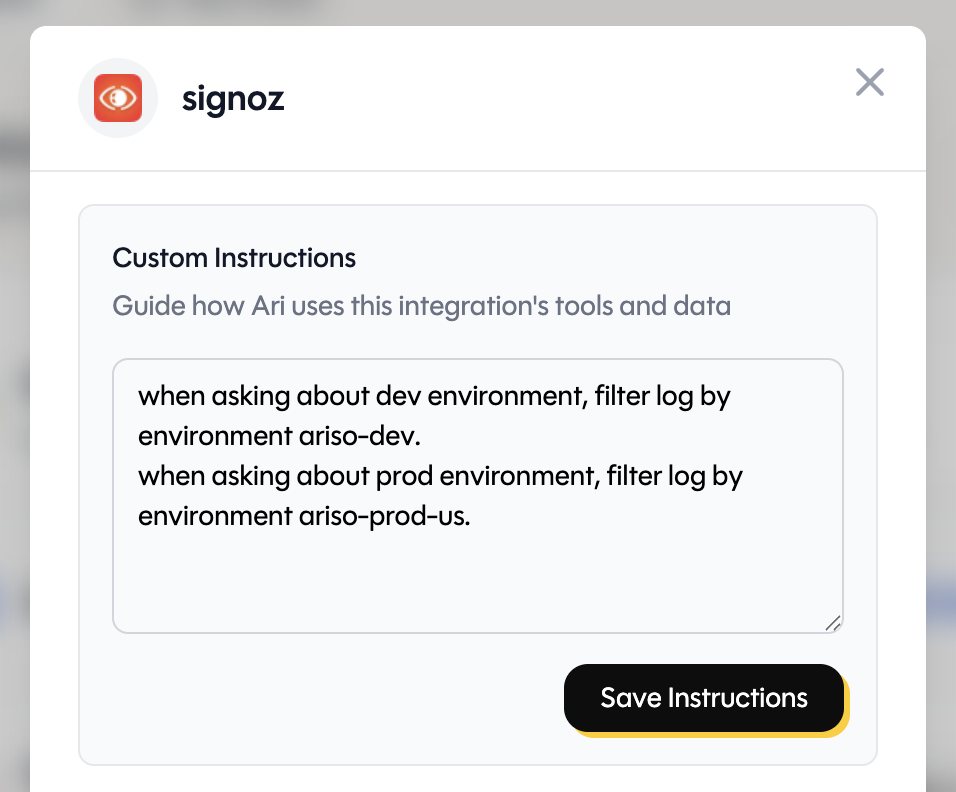
Mine looks roughly like this:
Default to logs for "what happened", traces for "where did it slow down", metrics for "is this a trend". Always anchor queries on
service.nameanddeployment.environment. If the user doesn't name a service, ask before querying. Production isariso-prod-usunless stated otherwise.
These instructions ride with every tool call. Ari doesn't re-learn the rules per question, and you don't have to spell out the environment every time.
Step 3 — Scope the server to a Slack channel
By default an MCP server is available everywhere. For ops work I want it bound to #ops and only #ops — not surfaced in every DM or unrelated channel.
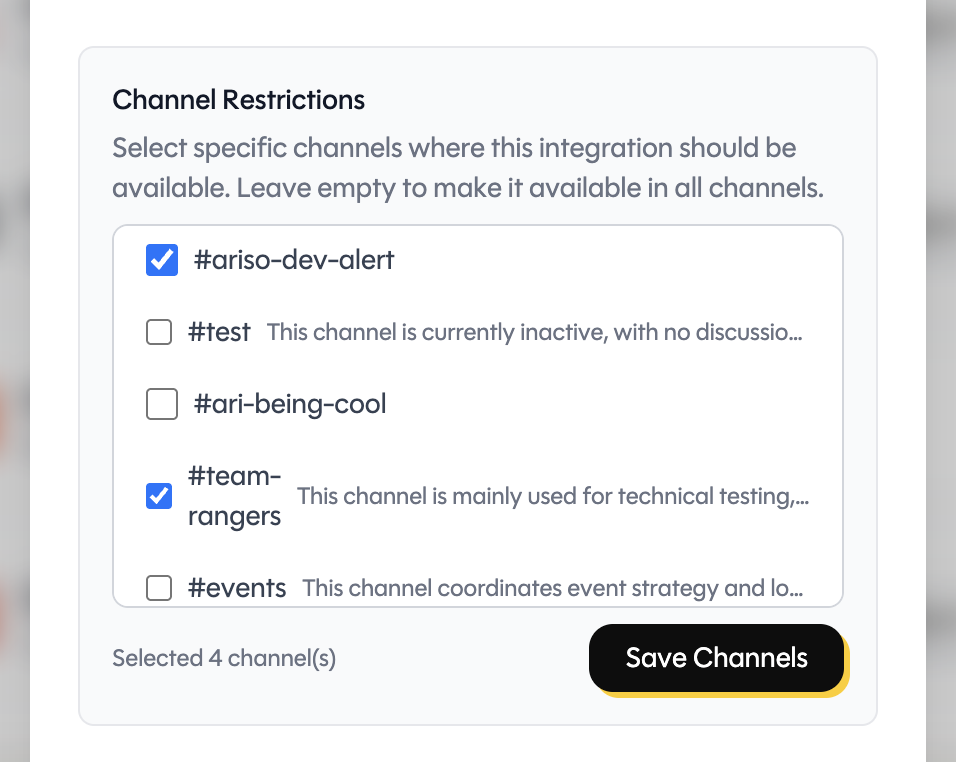
Pick the channels where Ari should have SigNoz reach. Anything outside that list won't see the tools. Smaller blast radius if a key leaks, and Ari stops over-reaching into channels where observability questions don't belong.
That's the whole setup. About three minutes.
What it looks like in the channel
A real exchange from #ops the night I shipped this:
me: @Ari we deployed the new webhook registration flow at 8pm. Any failures since?
Ari: Looking at
workerinariso-prod-ussince 20:00. Found XXXcreateWebhookRegistrationentries — XXX succeeded, XX errored, all from one customer's misconfigured endpoint. Trace IDs: …
Notice I didn't name the service, the environment, or the time window. The server-level instructions filled in the defaults; the channel context filled in the rest. The query that hit SigNoz was a tight resource-attribute filter, not a wildcard scan.
A small thing the next morning
I'll mention this only because it surprised me, not to make a point of it. The night I wired this up, we ran the investigation in #ops, landed on a probable cause, and called it. I closed Slack and went to bed.
The next morning, my Ari reflection — normally a calendar recap and a couple of nudges — opened with this:
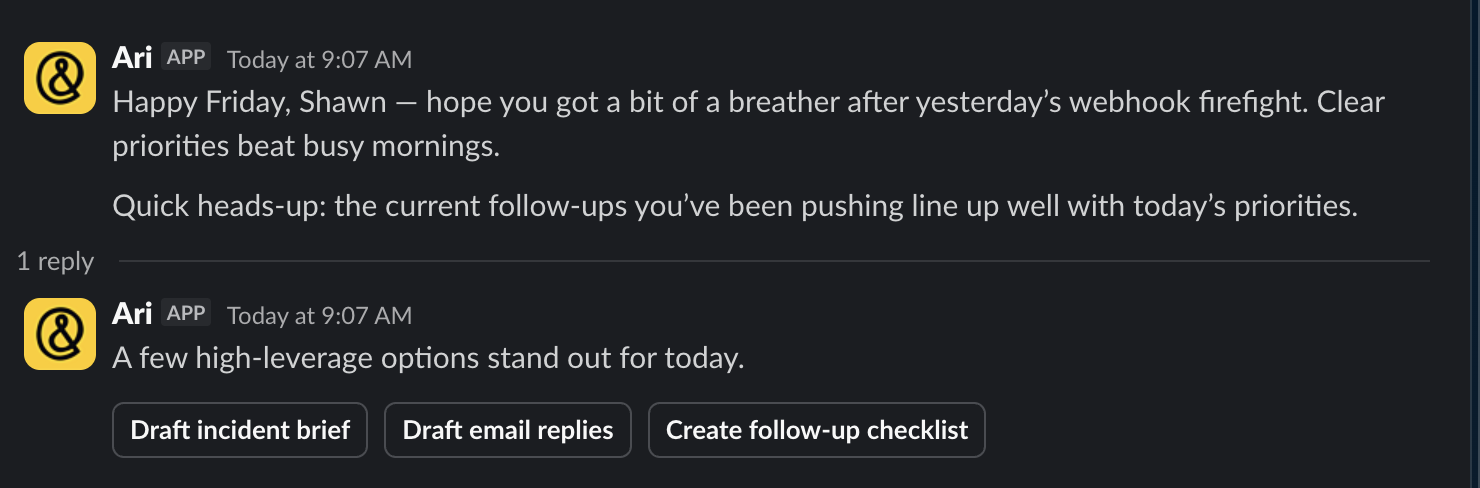
The plumbing is one click. The behavior is the instructions. The scope is the channel. Try it tonight; it'll save you a tab tomorrow.
Ready to try Ari?
The AI player-coach that gives every employee the tools to lead themselves.